Dashboard
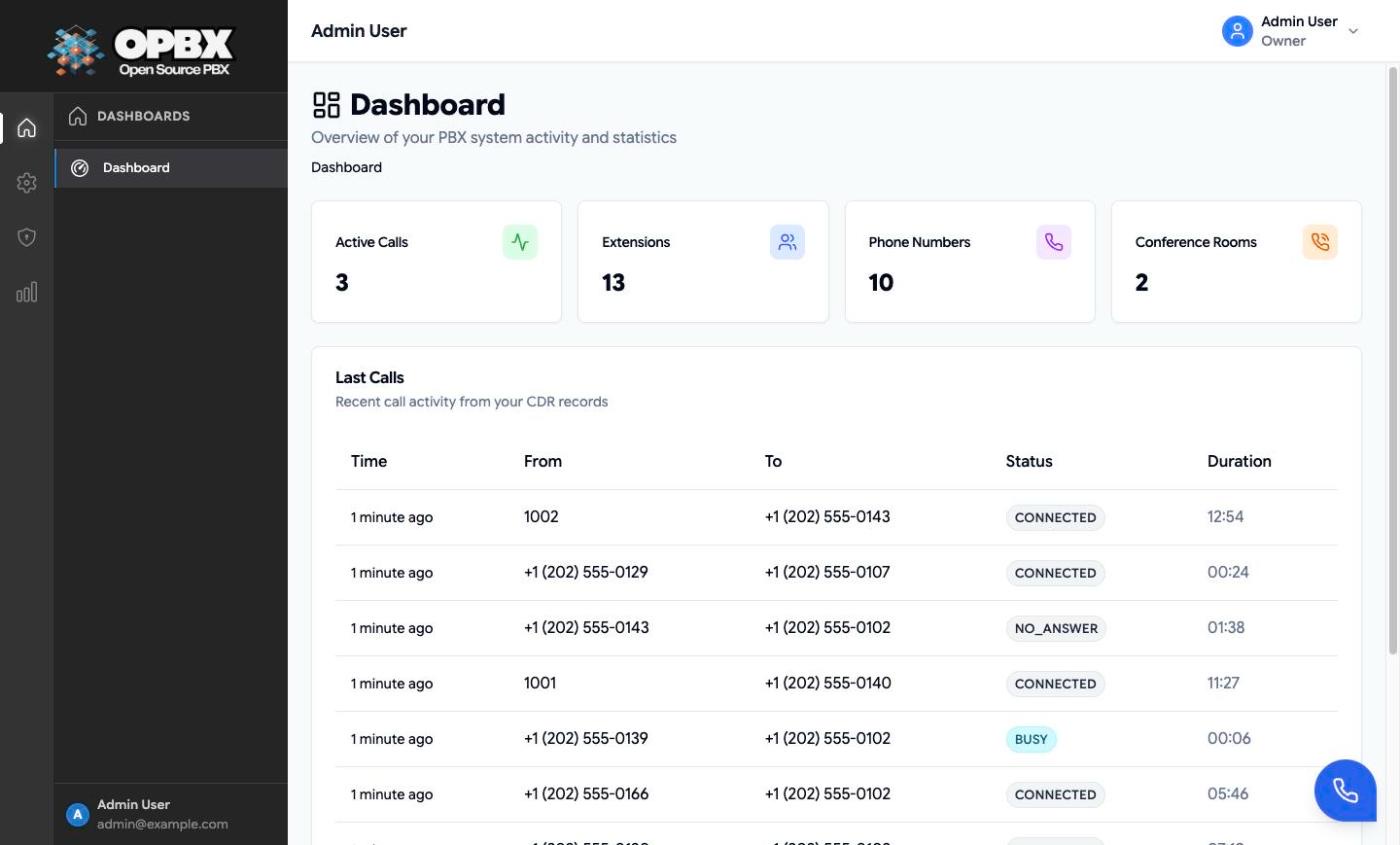
The Dashboard is the page every user lands on after signing in. It sits at the top of the sidebar and shows, at a glance, what is happening in your organization right now: counters for active calls, extensions, phone numbers and conference rooms, and the most recent calls.
For call history, queue reports and other call data, see Analytics.
Who can see it
| Report | Owner | PBX Admin | PBX User | Reporter | Supervisor |
|---|---|---|---|---|---|
| Dashboard | Organization | Organization | Organization | Organization | Assigned scope |
"Assigned scope" means calls to or from the users and ring groups assigned to the Supervisor. See Supervisors.
Workflows
Read the Dashboard
Who can do this: every role. Every role lands on the Dashboard after signing in.
- Open Dashboard at the top of the sidebar (for Supervisors, section Supervisor).
- Read the counters: Active Calls, Extensions, Phone Numbers and Conference Rooms. Click a counter to open its page (Live Calls, Extensions, Phone Numbers or Conference Rooms).
- Read Last Calls: the 10 most recent call records, with time, from, to, status and duration. When there are none, it reads "No recent calls".
Active Calls counts the calls the Live Calls page lists, by the same rule (see Which calls count as active). The active-call counter refreshes every 15 seconds and the other cards every 30 seconds, only while the browser tab is visible.
Supervisors see their own variant with assigned users, assigned ring groups, active calls in scope and the last 5 calls in scope. See Supervisors.
Related modules
- Analytics — which report answers which question, CSV export and data retention
- Live Calls — calls in progress
- Call Logs — call history, filters, recordings and export
- Supervisors — the Supervisor's own dashboard
- First Login — signing in and the first steps after it