Etisalcom Integration
Etisalcom is a communications provider, located in the country of Bahrain.
You can integrate Etisalcom with Cloudonix, enabling inbound and outbound calling to/from your Cloudonix voice applications.
Etisalcom Setup
Etisalcom doesn't provide a self-management portal, and as such, will provide you with a username password combination to connect Cloudonix to Etisalcom.
Cloudonix Setup
Outbound Calls
Logon to your Cloudonix cockpit account and select your desired domain. Once in the domain, click the
Outbound Trunks menu option, and click the Add Trunk button to create a new outbound trunk. Using the
inforomation provided from Etisalcom, fill the form as below:
Where the below Host field says sip.zadarma.com - enter the server address provided by Etisalcom.
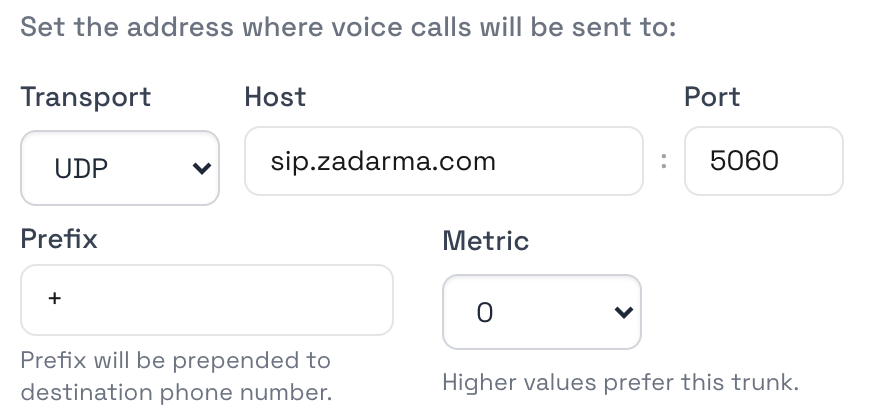
Note the that appears in the prefix, that is VERY IMPORTANT. Etisalcom requires that all calls to it be performed in a full E.164 format, which is the international dialing format, prefixed with a plus sign.
Now, expand the SIP Authentication section and configure your outbound credentials in the Login User and Password fields, as below:
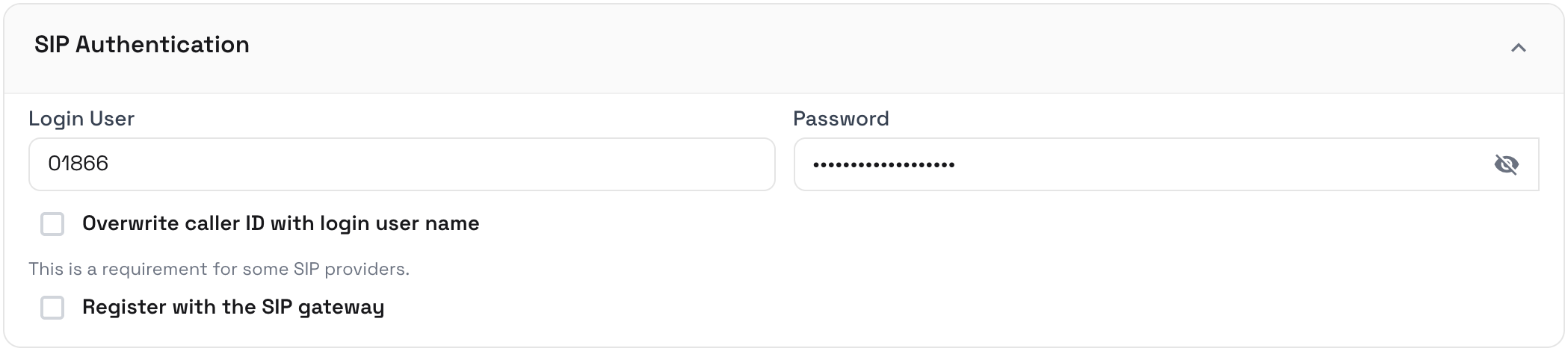
Click the Create button to save your Cloudonix outbound trunk configuration and that's it, your outbound trunk with Etisalcom is now configured.
Inbound Calls
Enabling inbound calls from Etisalcom to Cloudonix doesn't require any special configuration on Cloudonix. To enable these, you will first need to get your Cloudonix domain built-in CNAME alias. This can be obtained from the Configuration For Inbound Calls panel of the Inbound Trunks screen of your Cloudonix domain. Your domain CNAME will look something like this:
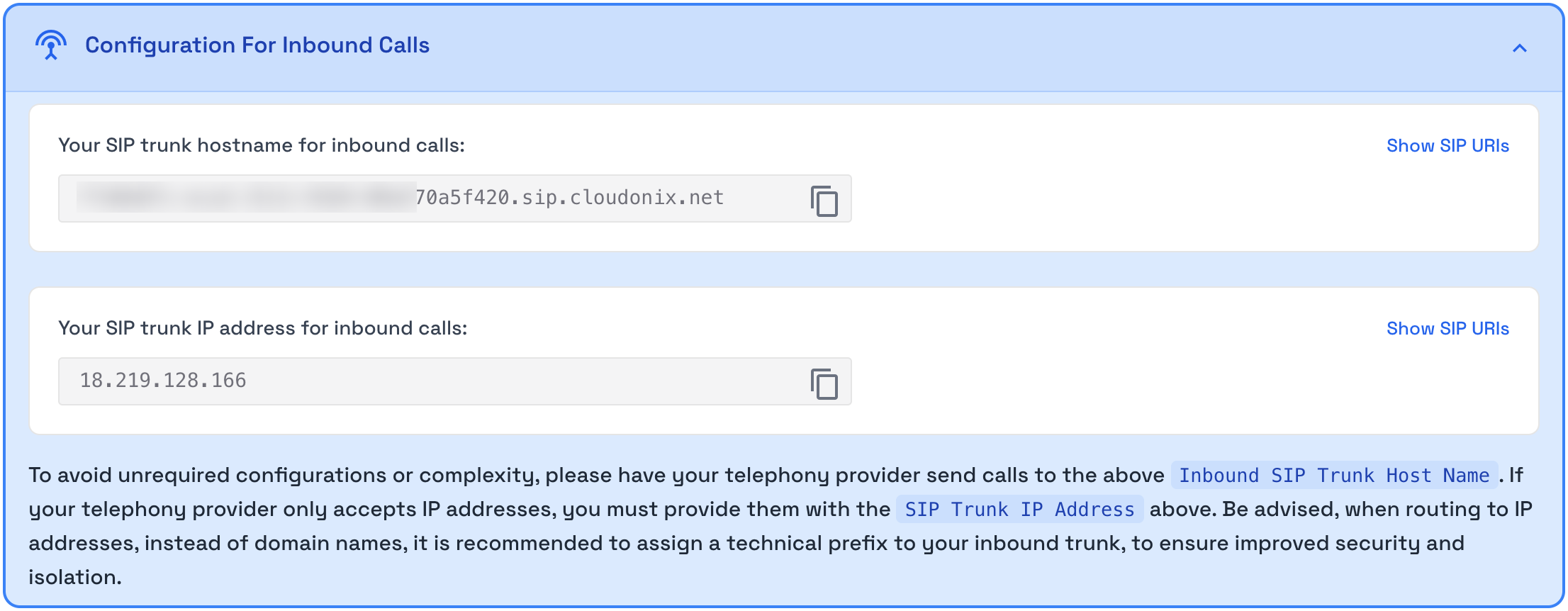
You need to provide Etisalcom with this domain name, in order for them to enable call routing to your Cloudonix account.