Create a Container Application
The Cloudonix REST API Data Models define a container application as:
The Container Application model stores an installation of a voice application that is hosted and served directly from Cloudonix servers. The software source code that executes the Cloudonix voice application is stored in Cloudonix servers and is executed on-demand by the Cloudonix APP.core voice application runtime - in a similar way to how "serverless applications" are hosted in Amazon Web Services Lambda or Azure Functions.
Click the Container Applications resource link to access the Container Applications View; the following screen will appear:
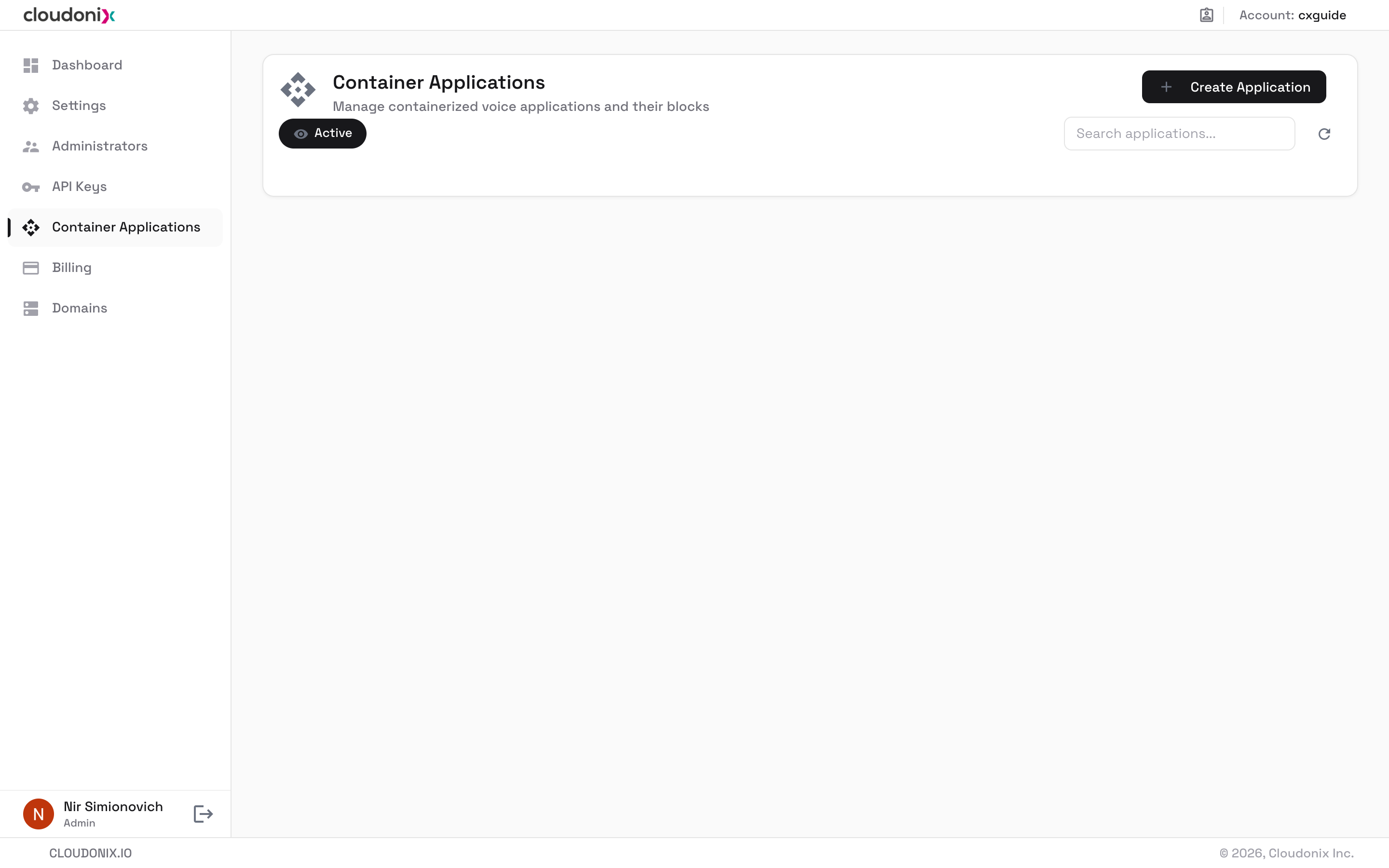
Click the Create Application button to create a new Container Application; the following dialog will appear:
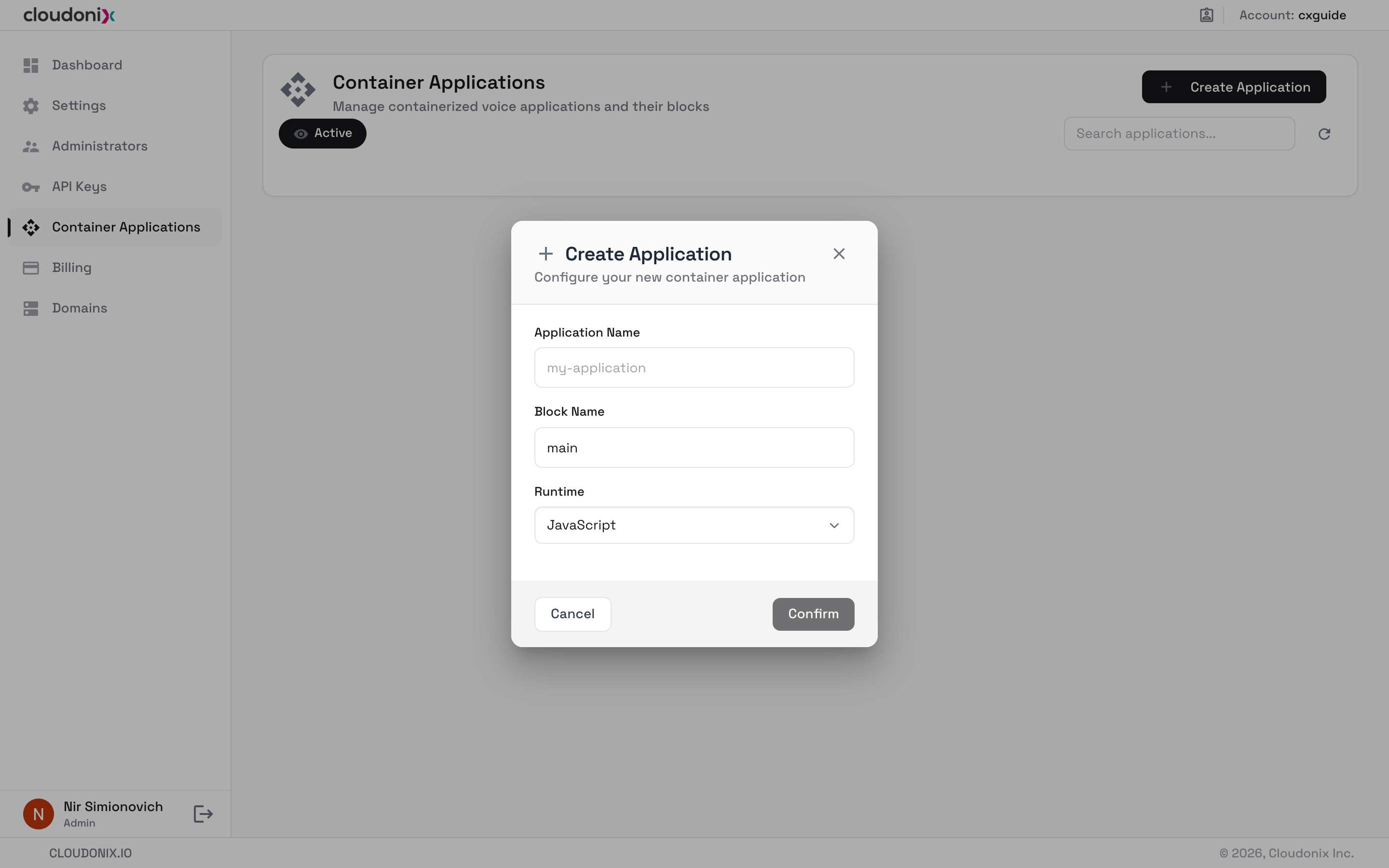
Container applications are based upon pre-defined Blocks, where each block may be implemented a different technology runtime. We recommend that you read more about container applications, in the Cloudonix REST API Data Models section.
For now, we shall create a simple container application, using a static runtime. Use the following information to fill the Create Application dialog:
| Title | Value | Description |
|---|---|---|
| Application Name | myFirstContainerApplication | A unique container application name. |
| Block Name | main | The name of the application's first block (default: main). Block names may contain only letters, numbers and hyphens. |
| Runtime | Static CXML | The container application runtime, to be used with the below code block. |
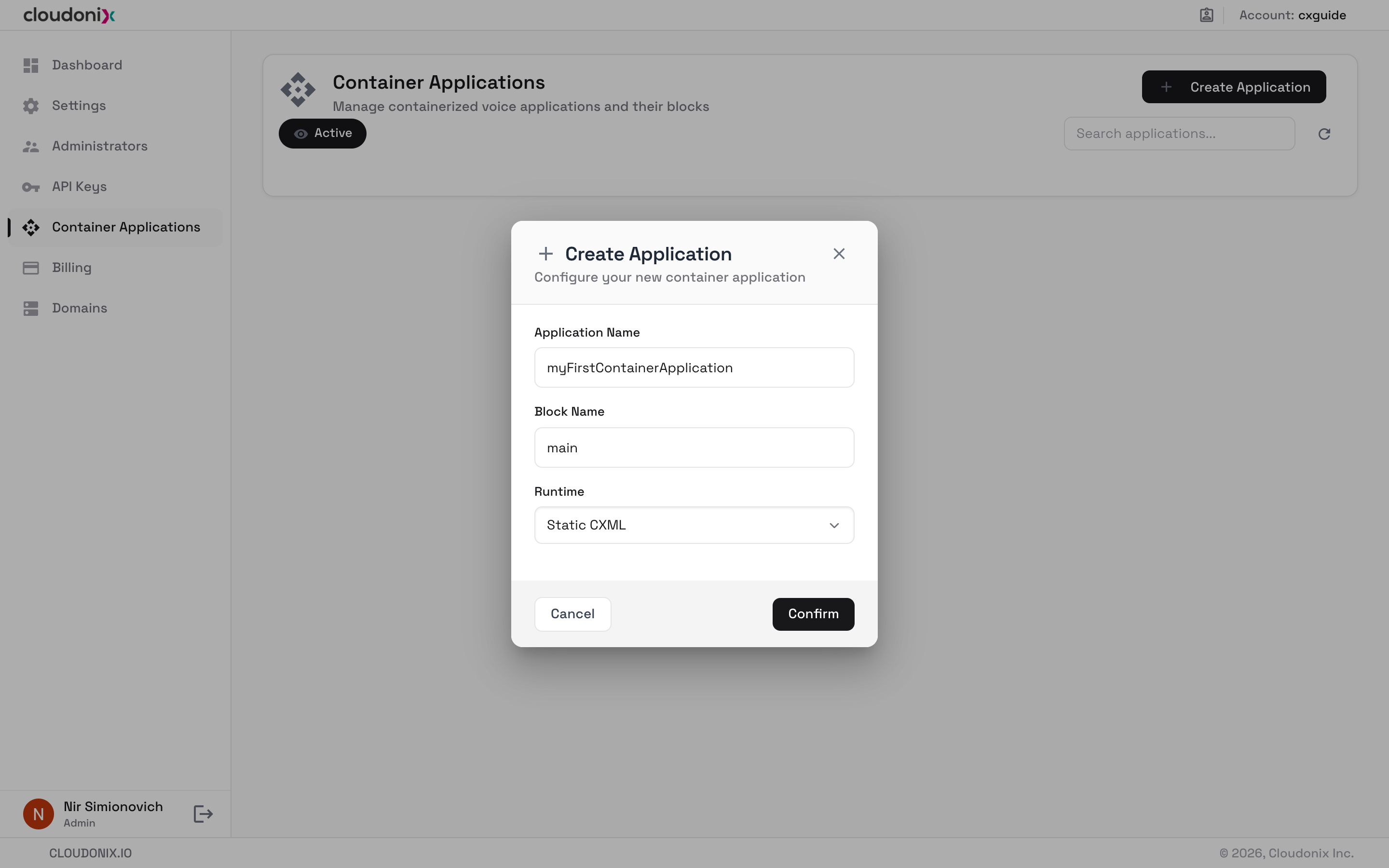
Click the Confirm button; the Container application code editor will open, showing the main block. Enter the following
code into the editor:
The Code Block
<Response>
  <Pause length="2" answer="true" />
  <Say>Hello World, it is great to be alive. Good bye now.</Say>
  <Hangup />
</Response>
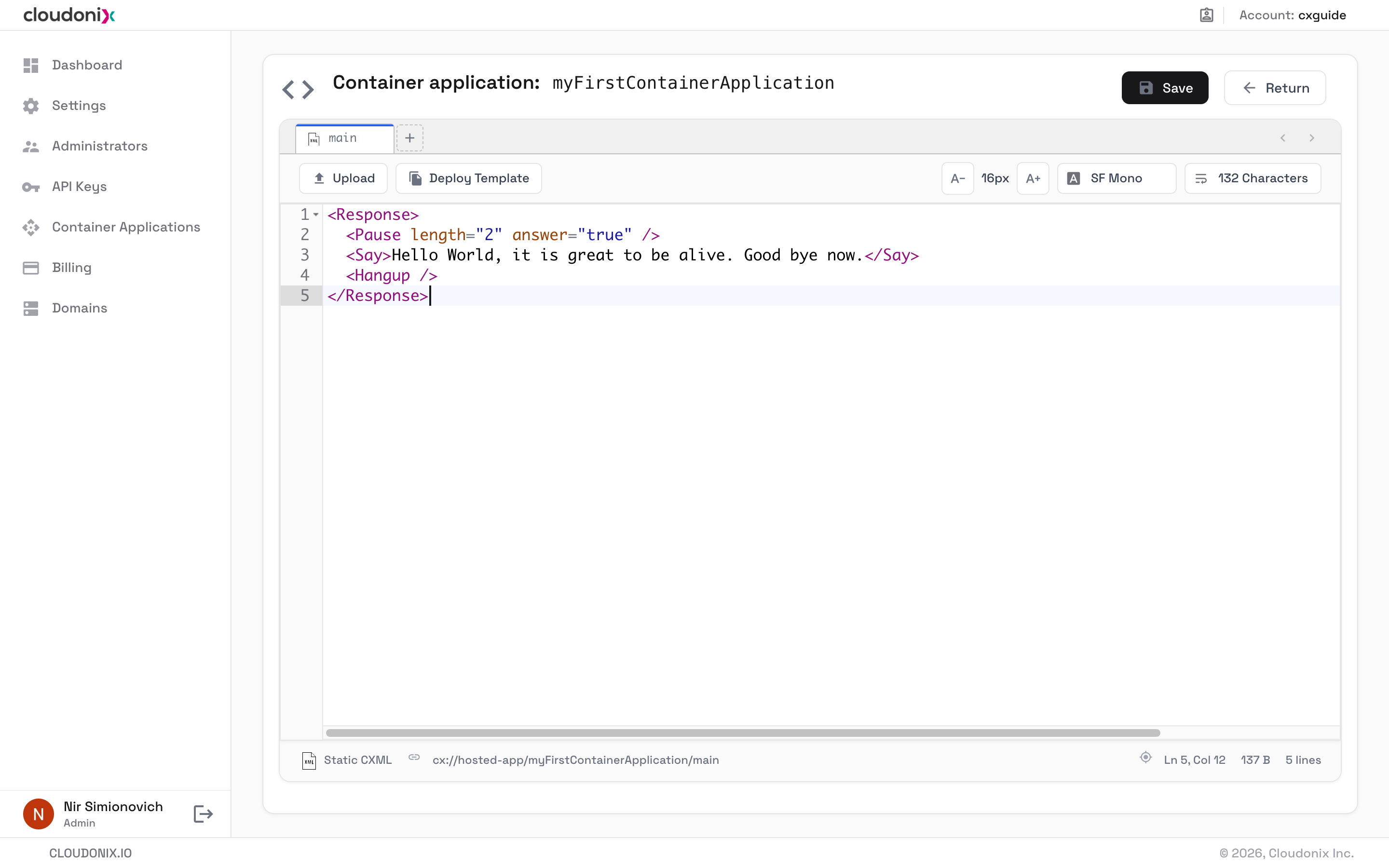
Once you've entered the code into the code editor, simply click the Save button to save your container application,
then click the Return button to go back to the Container Applications View. Your new container application is now listed
(use the search box to filter the list), showing its block count and its cx://hosted-app/myFirstContainerApplication/main URL:
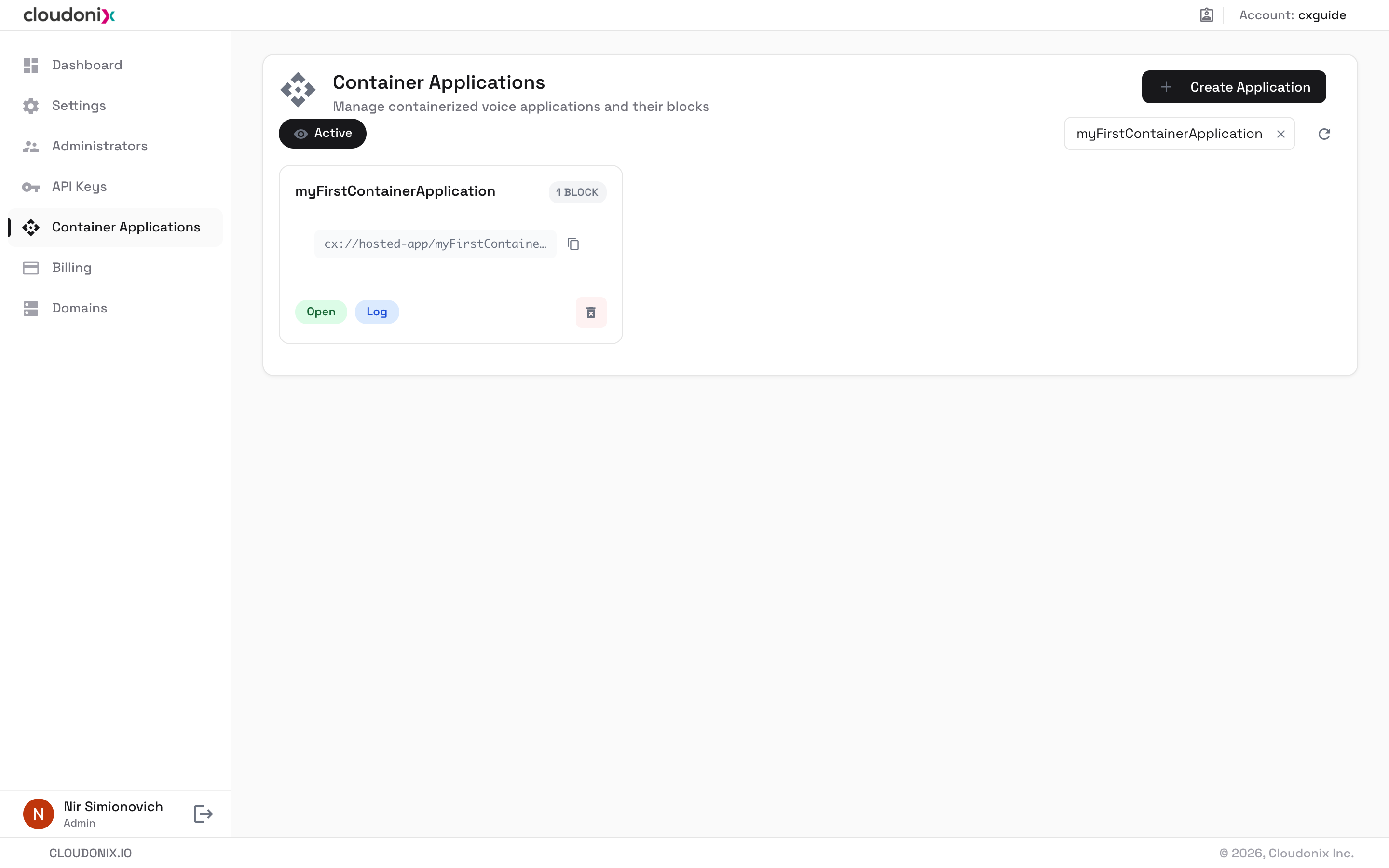
Congratulations, your container application is now ready to be attached to a voice application.
Here are some useful links, to learn more about the CXML markup language, and the Cloudonix REST API: