Voice Application Response
If you hadn't yet read the intro part of this section, please click here to read it first.
Description
This module enables the developer to assemble previously executed CXML modules into a single execution flow. This module should be executed as the last CXML module in your voice application scenario.
Workflow
This module MUST be executed as the last module in your voice application, serving the final CXML script to Cloudonix for execution. You may use other modules after this module, such as Cloudonix API modules or other Make.com application modules.
Module Example
Single Voice Application Module Example
In this example, you can see that a single voice application module is to be executed.
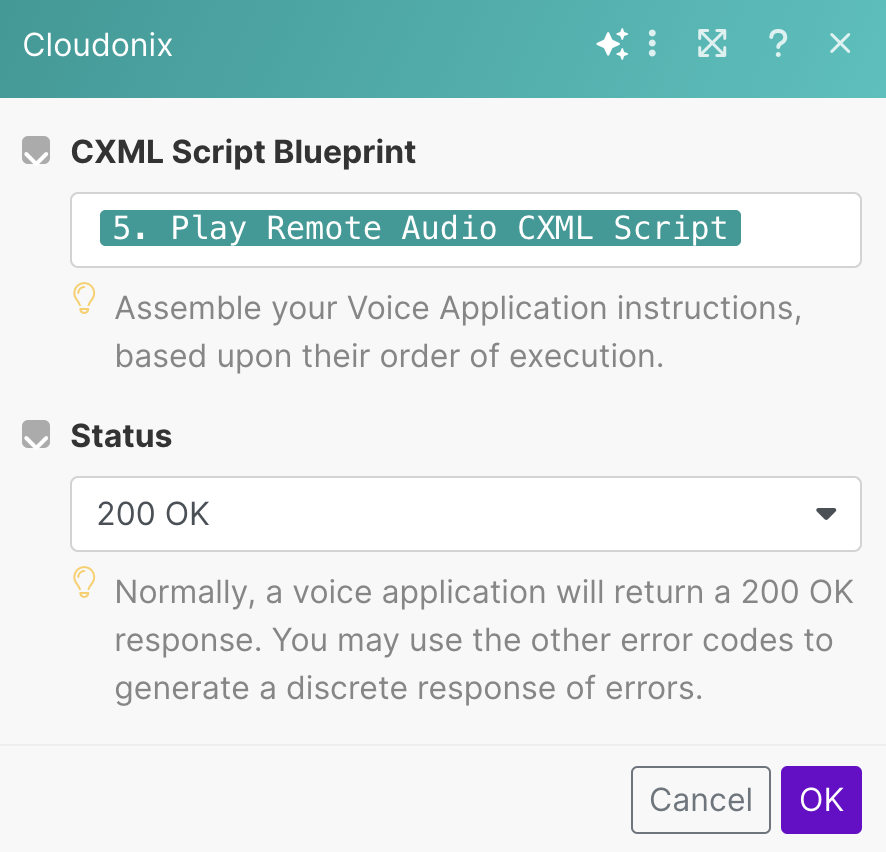
The resulting CXML may will be similar to the following:
<Response>
  <Play>https://example.com/file.mp3</Play>
</Response>
Multiple Voice Application Modules Examples
In this example, you can see that 3 different voice application modules are to be executed.
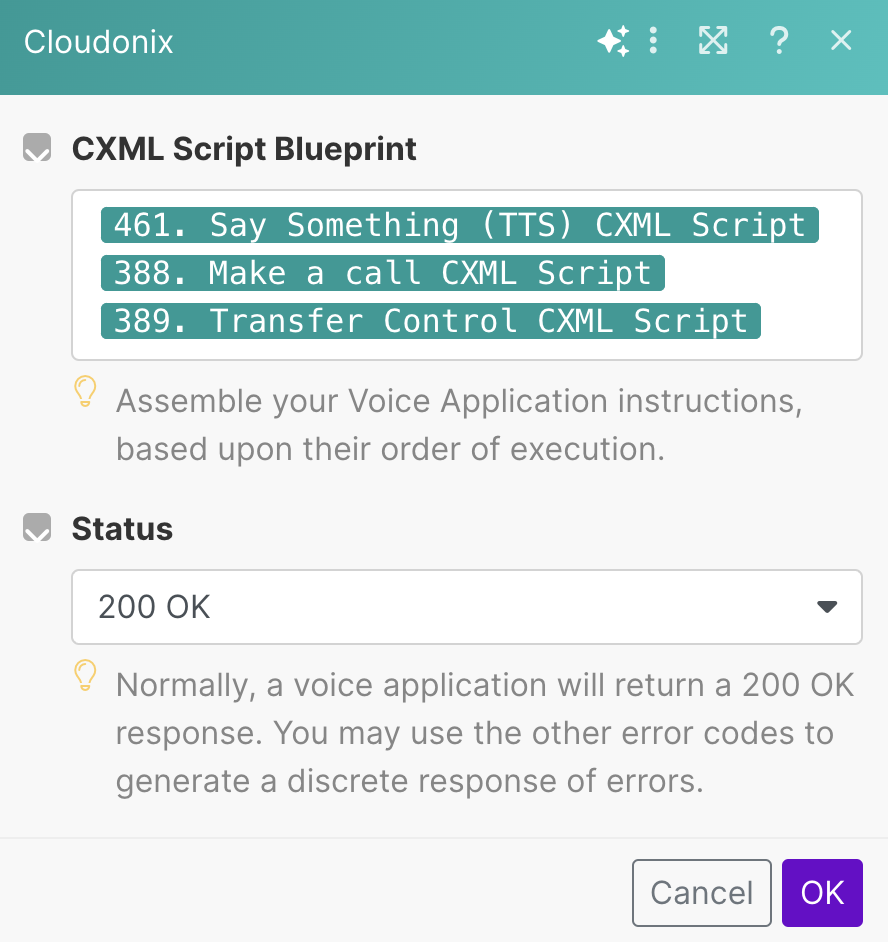
The resulting CXML may will be similar to the following:
<Response>
  <Play>https://example.com/file.mp3</Play>
  <Dial>12127773456</Dial>
  <Redirect>https://example.com/cxmlDocument</Redirect>
</Response>
Parameters
| Parameter | Description |
|---|---|
| CXML Script Blueprint | The Voice Application Connection to be used for the query. |
| Status | See Below. |
Status Options
200 OK
The voice application workflow completed successfully and is ready for execution.
403 Voice Application Access Denied
A security violation occurred during the voice application execution and the execution should be terminated.
404 Voice Application Not Found
A workflow or otherwise unknown violation occurred during the voice application execution and the execution should be terminated.
500 Voice Application Error
A general error occurred during the voice application execution and the execution should be terminated.
Advanced Mode
This module doesn't have advanced usage mode available.