Dasha SIP Trunking
Using Dasha Dashboard
This method uses the Dasha dashboard and will allow you to setup your Cloudonix connection in Dasha.
Logon to your Dasha dashboard, and create a new voice agent. Then select the Phone and SIP menu option, the following screen will appear:
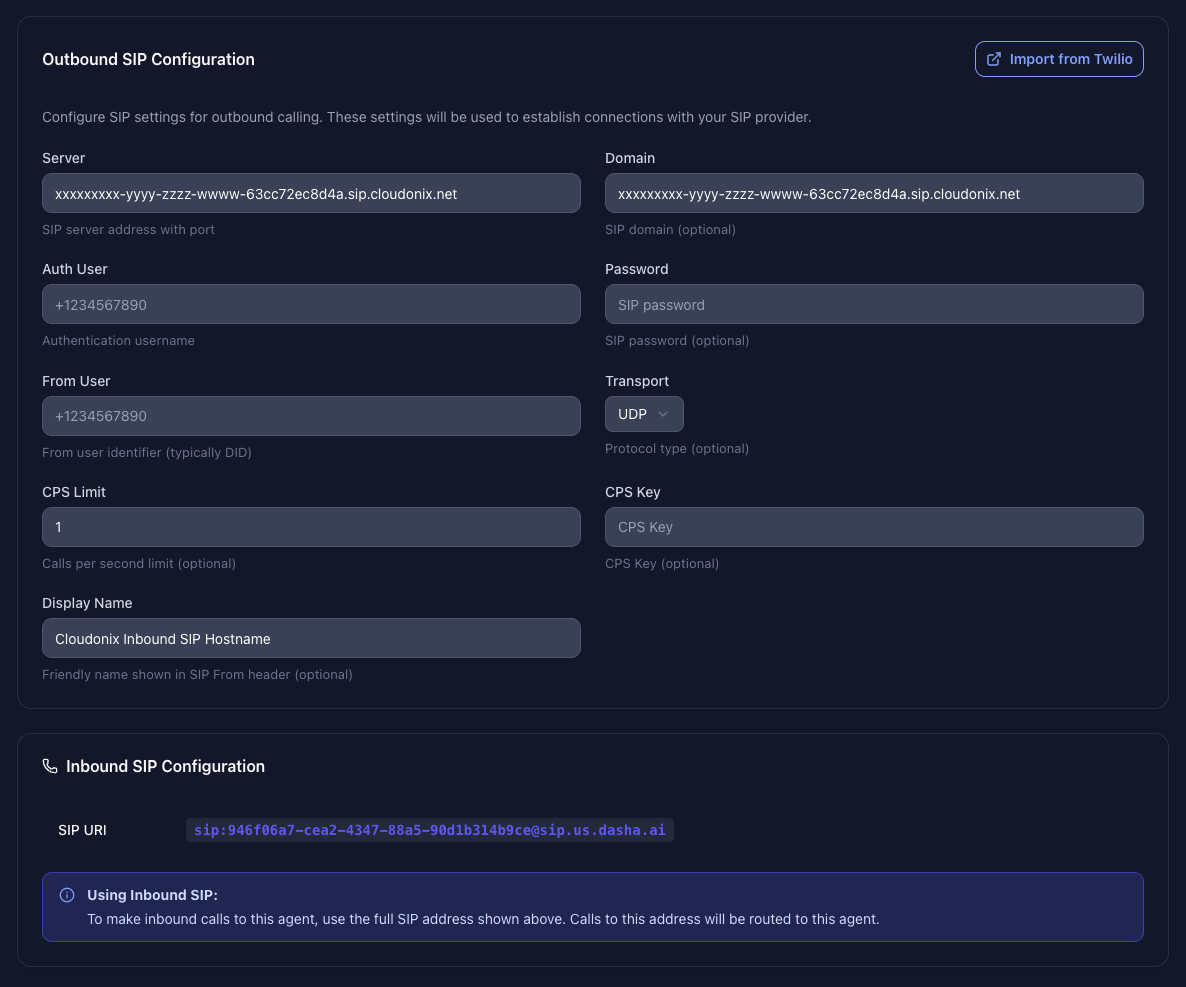
Fill the dialog as detailed below:
| Item | Description | Example |
|---|---|---|
| Server | Your Cloudonix inbound SIP Hostname. | eg. aaaaaaaa-bbbb-cccc-dddd-xxxxxxxxxx.sip.cloudonix.net |
| Domain | Your Cloudonix inbound SIP Hostname. | eg. aaaaaaaa-bbbb-cccc-dddd-xxxxxxxxxx.sip.cloudonix.net |
| Display Name | A friendly name for this SIP Trunk. | eg. [Cloudonix] +12127773456 |
| Transport | The transport protocol to use for the SIP connection. | udp |
Voice Application Usage
To route inbound calls to Dasha, you will need to use the <Dial><Service> voice application verb. However, unlike otherHere is a small example:
platforms, which use normal phone numbers, Dasha providers a unique hash identifier for each Dasha agent. For example:
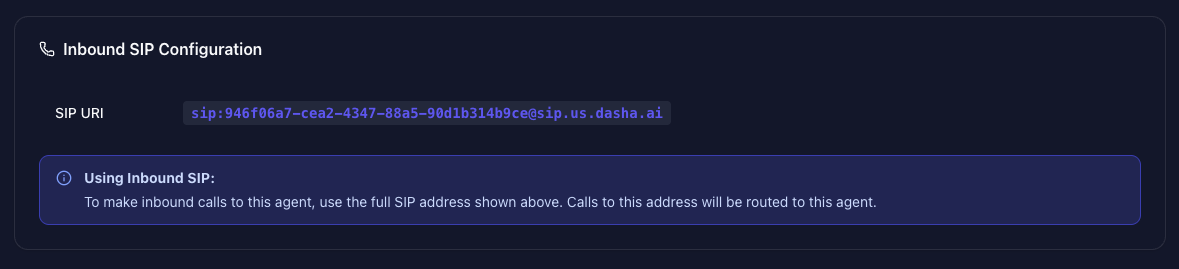
So, based on the example above, you would use:
<Response>
  <Dial>
    <Service provider="dasha">946f06a7-cea2-4347-88a5-90d1b314b9ce</Service>
  </Dial>
</Response>